

When adding the .stignore file to you root folder of the synced files, make sure you don’t have it named .stignore.txt (hidden by windows). Windows hides the extensions by default, and you’ll want to uncheck it from Explorer’s properties panel.
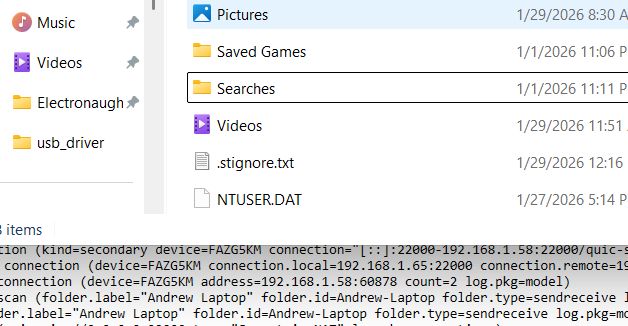
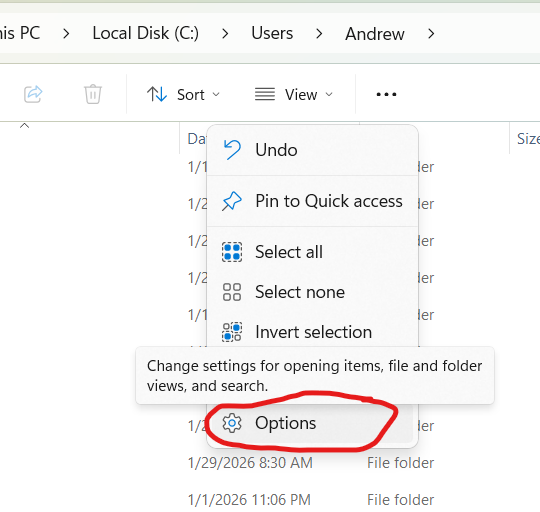
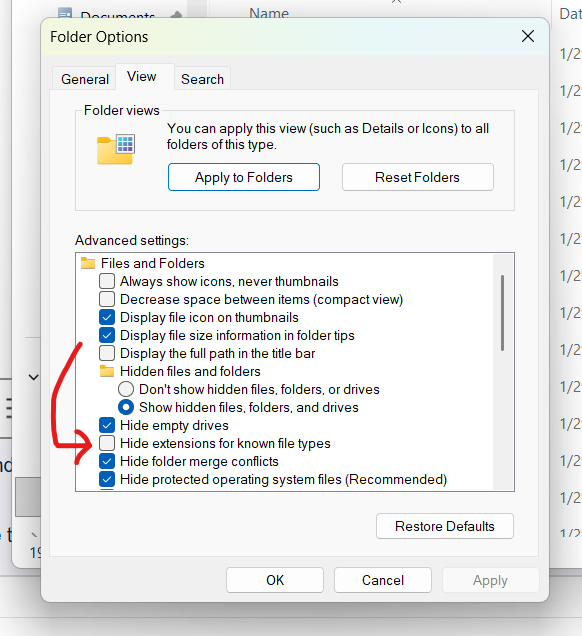
Go to explorer and then thee … menu, and choose options and uncheck “Hide Extensions of Known File Types”
After you un-hide the file extensions, remove .txt from your .stignore and restart SyncThing.
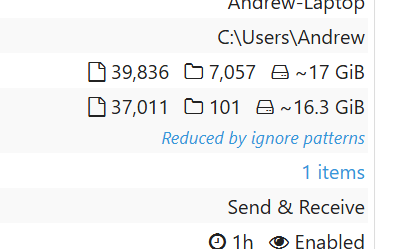
When SyncThing is ignoring your files, you’ll see it shown in the window.
This was the .stignore config I used with success:
// General Windows/User ignore patterns
(?i)AppData
(?i)Temp
(?i)*.tmp
(?i)ntuser.dat*
(?i)Recent
(?i)Local Settings
(?i)Cookies

// Specific high-churn/useless files
(?i)**/node_modules
(?i)**/Cache
(?i)**/Downloads
(?i)Thumbs.db
(?i)desktop.ini

// Specific Application data to ignore
(?i)AppData/Local/Packages
(?i)AppData/Local/Microsoft/Windows/Explorer